From Web Chat to Terminal: How a PM’s AI Workflow Evolves
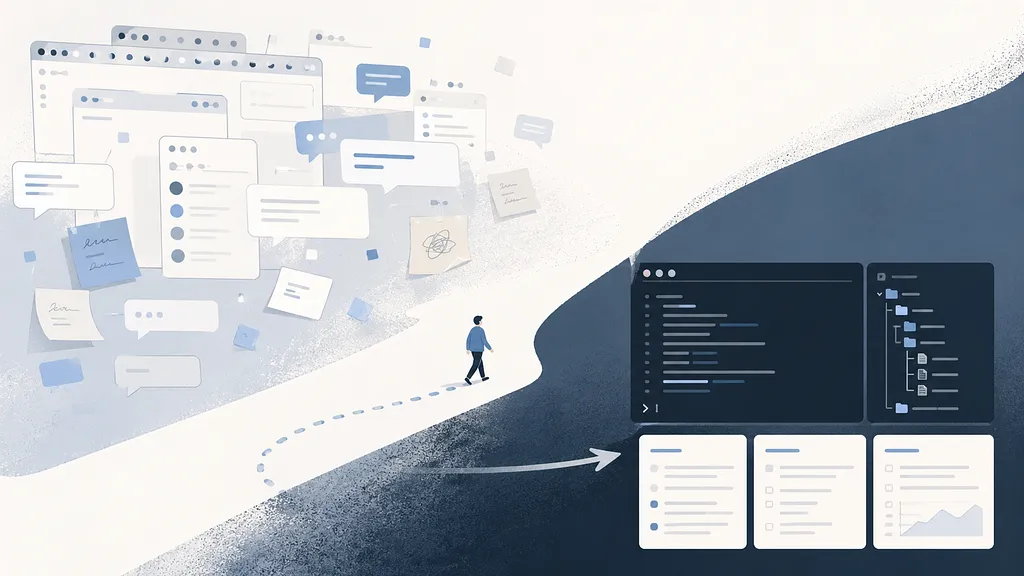
See if this sounds familiar.
You use AI to scope a feature, think through technical feasibility, and run a competitive analysis. Each conversation feels useful in the moment.
But a few days later, the work is scattered across tabs and threads.
You re-explain the same background. You dig through old chats to find the trade-off you already reasoned through. Eventually, starting a new chat feels easier than reconstructing the old one.
Then the new answer does not quite line up with what you remember from last time.
A thought flickers through your head: with all this AI help, why does the work still feel heavy?
At some point, I realized the problem was not the model. It was the interface itself.
Web chat is great for exploration, but weak for accumulation. As a PM, I do not just need answers. I need context, decisions, source material, and reasoning to survive across time.
The real shift is not from web chat to terminal. It is from treating AI as a conversation partner to making it part of a work system.
If any of this hits close to home, the rest of this might help.
The First Shift: From Managing Conversations to Managing Context
My first instinct was to give AI a way to remember context. So I started using project spaces, memory features, and other persistent-context mechanisms across AI platforms.
I dumped in the basics so I’d stop having to copy-paste who I am, what I’m building, what product I manage, and who my users are into every new chat.
Looking back, I now think about AI workflows in three layers:
- Conversation layer — where ideas are explored.
- Context layer — where background knowledge is maintained.
- Workflow layer — where decisions, rules, outputs, and source material become durable artifacts.
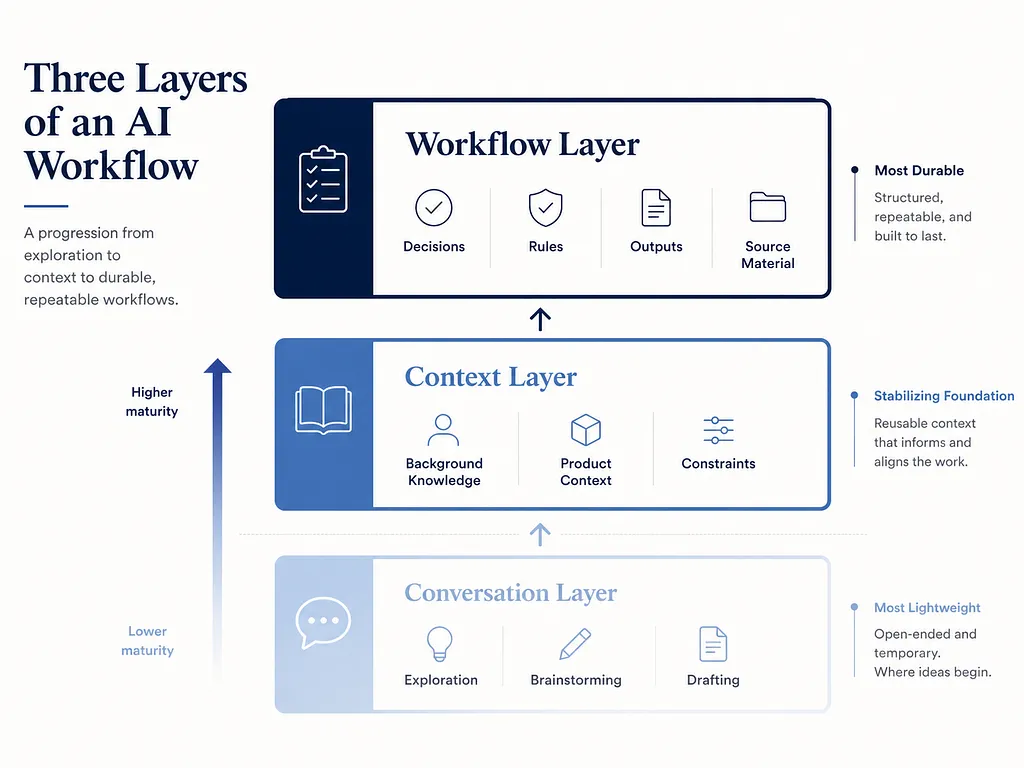
Projects helped me move from the first layer to the second. But they did not fully solve the third.
After a while, new problems started showing up.
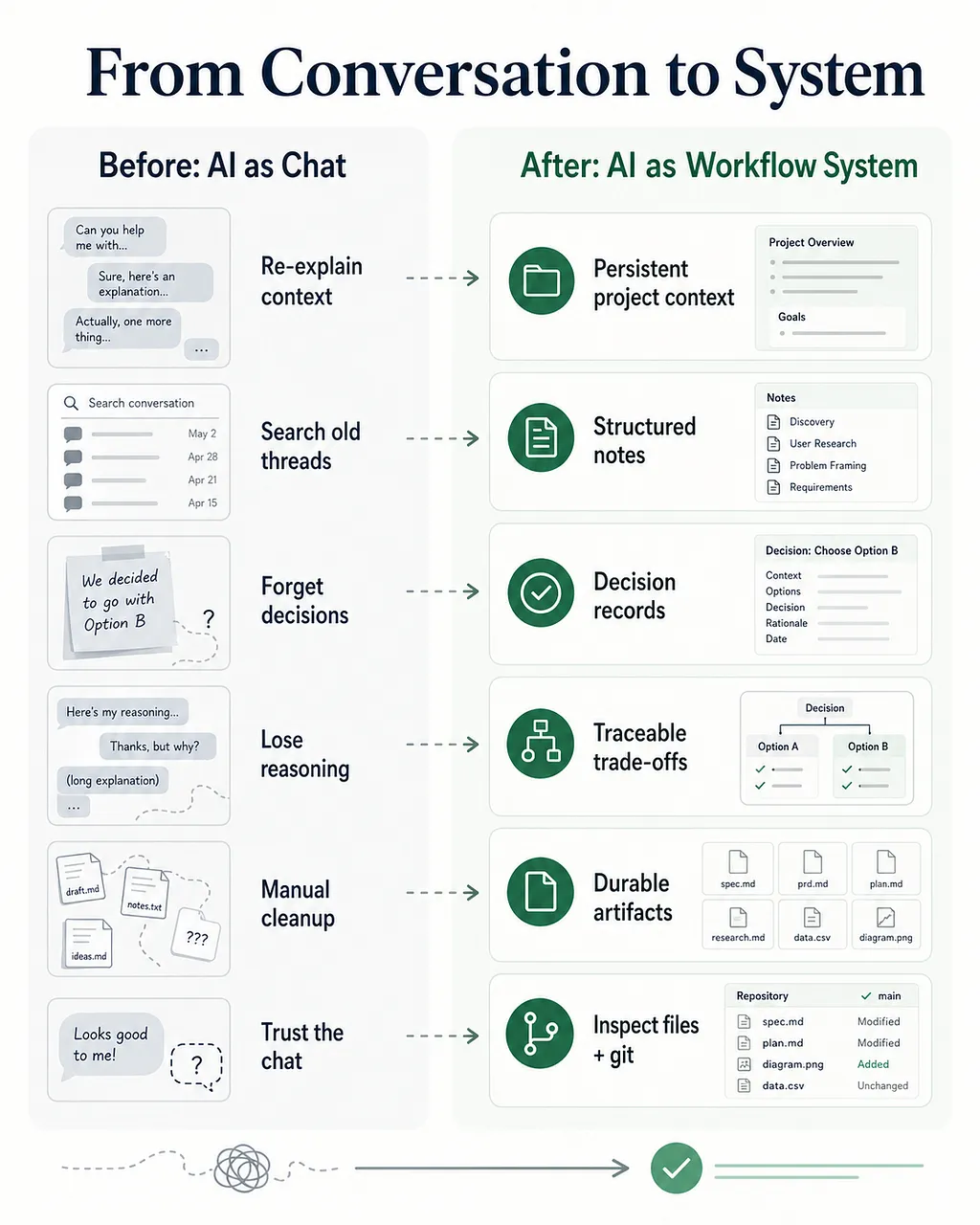
Outputs needed manual cleanup. I’d have a productive AI run inside a Project and end up with genuinely useful conclusions. But they’d be scattered across half a dozen separate threads. I still had to go in and stitch the relevant parts together by hand.
Reasoning got lost. I might land on a great direction while working with AI, agree on a few key points, make some real trade-offs along the way. A few days later: why did we go with A over B again? What were the alternatives we considered? Without doing deliberate work to capture the reasoning, all that context was gone.
Background context kept ballooning. It started small. But over time I kept stuffing more in: product strategy, technical constraints, past decisions, competitive research, even discussion notes, all to get better answers.
The issue was not just context size. It was context curation. As the background grew, I had less confidence in what the AI was actually using, what it was ignoring, and whether old context was quietly shaping the answer in the wrong direction.
The Second Shift: From Managing Context to Managing Files and Workflow
So I moved off the web chat interface and started using a CLI tool instead. This is where the third layer finally got its own home.
What I was after was simple: let the AI work directly with files on my machine, so the important parts of the work would stop disappearing into chat history. Background context, raw inputs, decisions, rules, and final outputs could each have a place to live.
It started with one project workspace. Instead of putting everything into one giant context file, I treated the workspace like a small operating system: one place for stable background context, one place for raw inputs, one place for decision records, one place for lessons learned, and git as the safety net.
Then I built the PRD workflow I’ve written about before. But pretty quickly, I noticed that most of the real work happened upstream of the PRD: wrangling research, discussions, meeting notes, and half-formed decisions. So the system evolved around that. Raw inputs became summarized notes. Important calls became decision records. Recurring mistakes became rules the AI could refer back to later.
The details kept changing. The principle didn’t: the more something mattered to the work, the less I wanted it trapped inside a chat thread.
For me, this matters because product work is rarely about generating one good document. It is about preserving context, making decisions traceable, and turning messy inputs into something a team can act on.
A good AI workflow should not only help me write faster. It should help me remember why a decision was made, what alternatives were considered, which assumptions are still fragile, and what evidence the team can actually rely on.
What It Actually Looks Like in Practice
In practice, it starts with a simple loop.
When I’m scoping a new feature, I open the terminal, point the AI to the topic, and ask it to pull together the relevant inputs: meeting notes, competitor research, past decisions, and open questions.
It gives me a first-pass research note. I review it, make a few directional calls, and turn the important ones into a decision record.
Later, when I’m ready to draft the PRD, the AI pulls from those notes and records instead of asking me to reconstruct the whole story from memory. I can even flip the script and ask it:
“Where did we leave off last time? What were the key points? If we were to start the PRD now, what’s still missing?”
It comes back and tells me which decisions are settled and which threads still need more work.
The mental load is lower because the work has somewhere to go.
The maintenance loop is simple, too.
When the AI misunderstands my intent, or repeats a mistake I’ve already corrected, I have it write the lesson into a rule. Next time I start work, it has a better chance of sidestepping the same trap.
To be clear, this does not make the system magically reliable. The AI still pulls the wrong files sometimes. Rules can become too broad. A cleanup can make the structure look cleaner while quietly hiding useful context.
That is why I try to keep the system inspectable: files are readable, decisions are written down, and git gives me a way to review or roll back changes instead of trusting the AI blindly.
At the end of a day or week, I’ll say something like, “I’m wrapping up. Go back and check if there’s anything worth writing down.” It surfaces things I’d have forgotten to capture myself, and over time the system shapes itself around how I actually work.
How to Build Your Own AI Workflow
In my experience, the best place to start isn’t with the tool, but with how you want your work to feel.
Maybe you’re not a PM, and maybe you don’t write PRDs. But you probably have some long-running work you keep coming back to, and decisions you wish you could trace back to. There’s always something that could work better. The job is to spot it and start collaborating with AI on it.
You don’t need to have it all figured out. Just pick a place where your work feels stuck, open up a web chat or even a terminal, and ask: “How could I make this easier on myself?” Better to start rough than not start at all.
AI didn’t lighten my workload by magically doing the work for me. It reduced the cognitive drag around it — the re-explaining, the searching, the reconstructing, the forgetting.
That, to me, is where an AI workflow earns its keep. Not in producing more text, but in keeping the thinking visible across time.